 Homeboard
| Skylight Calendar | Homeboard | |
|---|---|---|
| To start | £290 for the 15-inch screen, or £275 with the Plus plan | Free on a tablet you already own |
| Each year after | Nothing, or £60 a year if you keep Skylight Plus | Nothing. Plus is £29 once per home |
| Hardware | A dedicated screen, with a stand and wall mount | Your own iPad, Android or Fire tablet |
| Chores | A chore chart as standard; rewards with Skylight Plus | Chores, points and rewards with Plus |
| Your own photos | A photo and video screensaver with Skylight Plus | With Plus, up to 300 |
| Old iPads | Not needed: it is its own screen | iPads with iOS 12 or later |
What you pay for
The 15-inch Skylight Calendar is listed at £290 without Plus. The site also offers £275 with the Plus plan, and Skylight lists Plus at £60 a year. Check the current offer and subscription terms before buying.
Skylight Plus is optional. You do not need it for the core calendar or chore chart.
Homeboard is free for one wall display on a compatible tablet. Homeboard Plus is £29 once per home, including UK VAT, with 30 days free for every new home and no card needed.
Over time, if you keep Skylight Plus: £275 for the screen with the Plus plan, plus £60 a year for five years of Plus, is £575. Buying the £290 screen without Plus and adding it later comes to £590. Homeboard on a tablet you already own is free, or £29 once for Plus.
Homeboard's price excludes hardware. If you need a tablet, charger or mount, include those costs when comparing. We do not sell them.
Calendars and family features
Skylight's standard features include calendar syncing, a chore chart and lists. Its optional Plus plan adds rewards, meal planning, a photo and video screensaver, and Magic Import for turning emails and documents into events.
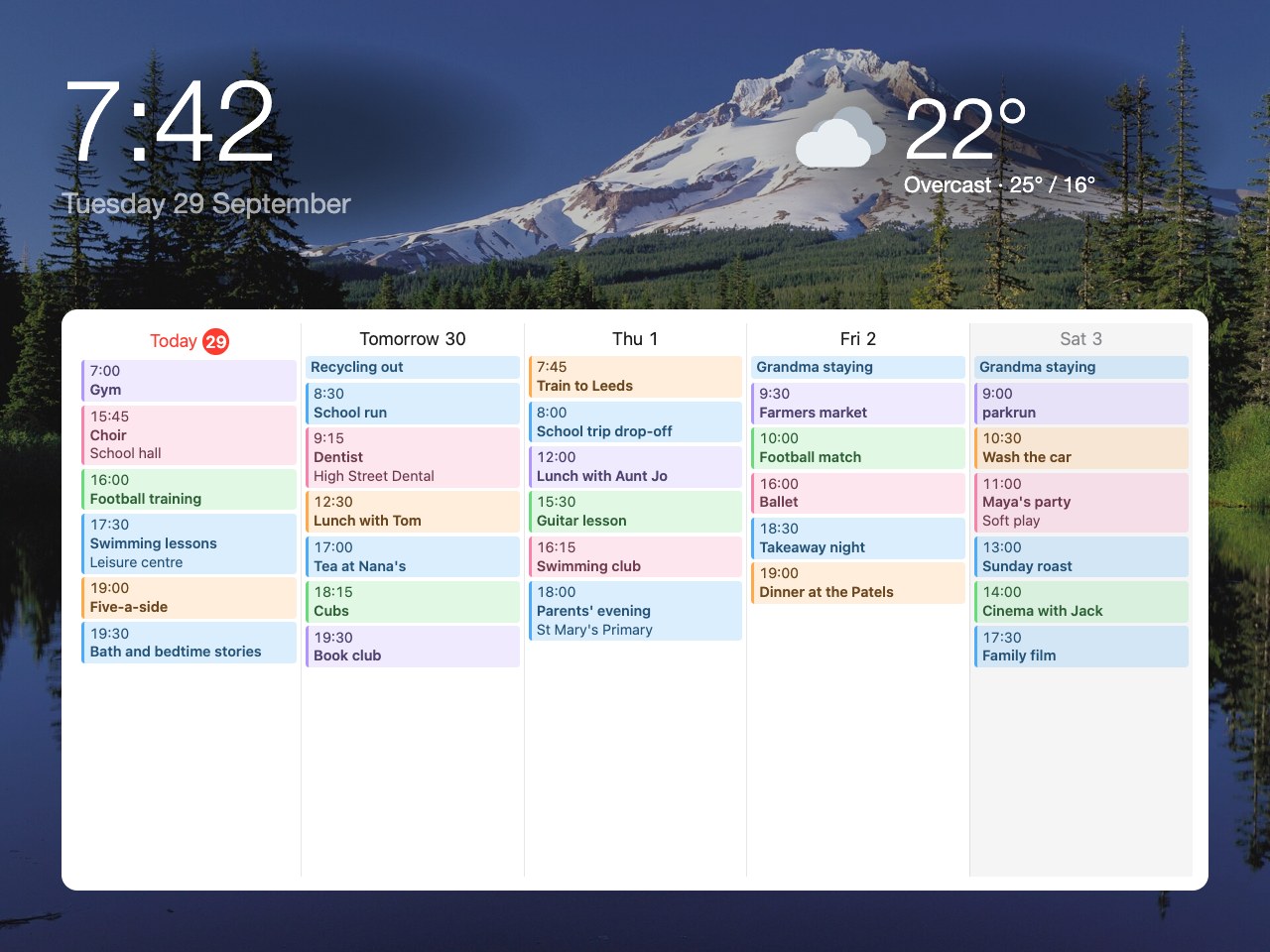
Homeboard Free shows calendar links in each person's colour alongside weather, picture themes and night mode. It reads calendar links without changing them, and you can also add family events in Homeboard from your phone.
Homeboard Plus adds your own photos, chores with points and rewards, meals, lists, notes sent from your phone and displays in more rooms. Homeboard does not offer Skylight's Magic Import. See what is included.
Which suits your home?
Consider Skylight if you want a dedicated screen supplied with a stand and wall mount, rather than finding and preparing a tablet. Its calendar and chore chart work without a subscription; compare the optional extras only if you want them.
Consider Homeboard if you have a compatible old iPad, Android or Fire tablet and want to reuse it. You can arrange your own layout, including custom CSS, and try it free on the actual tablet before paying for Plus.
Mounting, charging and the tablet's condition are your responsibility. Check your model and follow the iPad guide or Android and Fire guide.
Try Homeboard
Look around an example home without signing up, then check your tablet. After the trial, one display carries on free unless you choose Plus.
Comparing software for a screen you own? See the DAKboard comparison.